The right WebPlotDigitizer alternative depends on the chart, where the image may be processed, and the output your next tool expects. Some options prioritise manual control and unusual coordinate systems; others automate familiar bar, line, and scatter charts; several run entirely on the user’s device.
This comparison covers nine current options using their published product pages and documentation, checked on 9 August 2026. Vendor feature lists can change, so confirm a critical requirement before standardising a workflow.
Compare a familiar workflow. Try a prepared DataFromChart sample without an account. A registered account is required to upload your own chart.
Comparison at a glance
| Tool | Delivery | Documented extraction methods | Notable chart or axis support | Documented outputs |
|---|---|---|---|---|
| DataFromChart | Browser | Manual, colour-based, optional AI assistance | Bar, column, line, scatter, and area charts; linear, logarithmic, date, and categorical axes | CSV, TSV, XLSX, JSON |
| WebPlotDigitizer | Browser; archived v4 desktop builds | Manual, computer-vision algorithms, AI Assist | XY, bar, histogram, polar, ternary, map, image, circular chart recorder | CSV, clipboard, project files |
| PlotDigitizer | Free browser app; paid desktop Pro | Manual online; autotracing in Pro | XY, bar, pie, polar, ternary, maps, measurements | CSV, Excel, JSON, Python array online; more formats in Pro |
| VectorGraph | Browser, local processing | Manual and eight listed computer-vision algorithms | Line, scatter, bar, histogram, pie, polar, radar; PDF import | XLSX, CSV, JSON, XML, DXF, PDF |
| Plot2Data | Browser | AI extraction | Vendor lists 16+ types, including line, bar, scatter, box plot, heatmap, and candlestick | CSV, clipboard |
| graph2table | Browser | AI extraction with editable overlay points | Vendor describes general graph, plot, and chart support | CSV, clipboard |
| Engauge Digitizer | Open-source desktop | Manual, point matching, segment fill | Linear, logarithmic, polar; curve and point workflows | Delimited text |
| GetData Graph Digitizer | Windows desktop | Manual, line tracing, area digitising | Rectangular coordinate systems | TXT, XLS, XML, DXF, EPS |
| Graph Grabber | Windows desktop | Manual, automatic curve detection | Linear and logarithmic axes | Comma-separated text; re-rendered graph image |
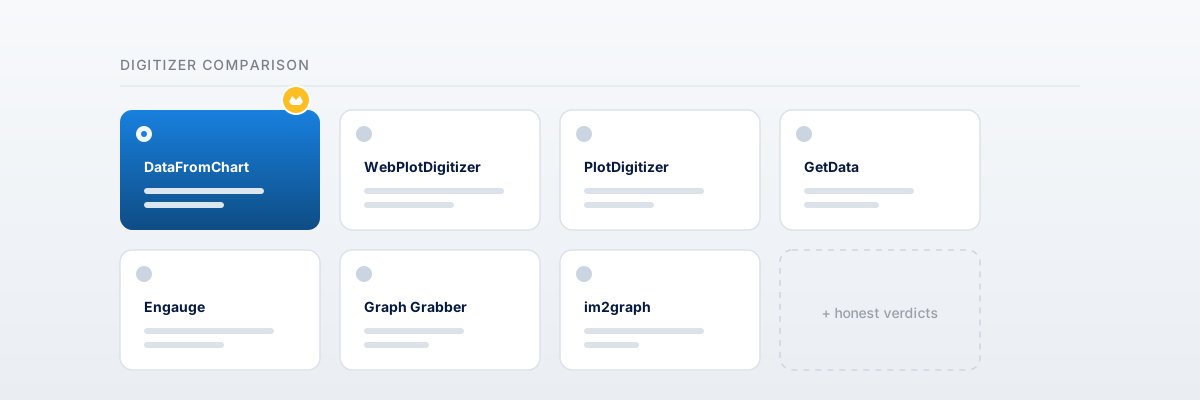
This is a feature comparison, not a ranking. A listed capability does not establish how well it will work on a particular source image.
Choose by the constraint that matters
If you need unusual coordinate systems
WebPlotDigitizer documents polar, ternary, map, image, and circular-chart-recorder calibration. PlotDigitizer documents polar, ternary, maps, pie charts, and measurement modes. Engauge supports polar coordinates in a desktop workflow.
DataFromChart is narrower: it is designed around familiar bar, column, line, scatter, and area charts with linear, logarithmic, date, or categorical axes. It is not the fit for polar or ternary plots.
If the chart cannot leave the device
VectorGraph says its browser app processes files locally and does not upload chart data to a server. Engauge, GetData, and Graph Grabber are desktop applications. WebPlotDigitizer’s archived v4 page provides desktop builds, while the current v5 AI Assist is a hosted feature and its documentation says images may be sent to a model provider during AI processing.
DataFromChart and the other hosted AI tools require server processing for their AI-assisted paths. Review the vendor’s current privacy terms before uploading confidential or regulated material.
If you want an AI-first workflow
Plot2Data and graph2table present automatic AI extraction as their main workflow. WebPlotDigitizer v5 combines AI Assist with manual and computer-vision tools. DataFromChart lets the user opt into AI assistance while retaining manual calibration, colour extraction, and point editing in the same project.
Automatic output still needs inspection when labels are small, series overlap, or the image is compressed.
If the export format decides the choice
CSV is the common denominator. DataFromChart exports CSV, TSV, XLSX, and JSON, with the option to include the source chart in the workbook. VectorGraph documents the broadest specialist set in this group, including XML, DXF, and PDF. GetData documents legacy XLS, XML, DXF, and EPS. PlotDigitizer’s free online app documents CSV, Excel, JSON, and Python-array output, with additional formats in Pro.
Check whether “Excel” means legacy .xls, modern .xlsx, or a workbook containing the source image; those are different downstream deliverables.
Notes on each alternative
DataFromChart
DataFromChart is a browser workflow for importing an image or PDF, classifying the chart, calibrating axes, collecting editable points, and exporting structured data. Manual and colour-based extraction are available without buying AI credits. A prepared sample can be used without an account; uploading a user’s own chart requires registration.
Shortlist it when a modern XLSX file with the chart beside the recovered data is useful, or when you want manual, colour-based, and optional AI methods in one interface. See supported chart types or the step-by-step extraction guide.
WebPlotDigitizer
WebPlotDigitizer is the broad general-purpose reference in this set. Its current documentation covers manual extraction, several automatic algorithms, PDF input, many calibration types, CSV export, and reusable project files. Version 5 also includes AI Assist. The archived v4 application and desktop downloads remain available separately.
Shortlist it for unusual axes, a detailed manual/computer-vision workflow, or a reusable project file. For a narrower feature comparison, read DataFromChart vs WebPlotDigitizer.
PlotDigitizer
PlotDigitizer provides a free online app and paid Pro desktop software for Windows, macOS, and Linux. The free app documents manual extraction across several graph types and common exports. Pro adds autotracing, additional scales, image editing, dataset management, and more export formats.
Shortlist it when broad graph-type support or a cross-platform desktop application matters. See DataFromChart vs PlotDigitizer for the direct comparison.
VectorGraph
VectorGraph describes a free, account-free browser application that processes data locally. Its product page lists PDF import, eight extraction algorithms, region-of-interest tools, several coordinate systems, and outputs ranging from spreadsheets to DXF and PDF.
Shortlist it when local browser processing or CAD-oriented output is a hard requirement.
Plot2Data
Plot2Data is an AI-first browser tool. Its homepage accepts PNG, JPG, SVG, and WebP and lists 16+ graph types, including heatmaps, box plots, and candlestick charts. The output path is a structured table, clipboard copy, or CSV.
Shortlist it when the source is a supported chart type and an automatic CSV-first workflow is the priority.
graph2table
graph2table begins extraction after an image upload and places the resulting points over the source image for editing. Its site documents JPG, PNG, and WebP input, CSV output, and two free conversions after account creation.
Shortlist it when an AI-first workflow with visual point correction matches the job.
Engauge Digitizer
Engauge is a free, open-source desktop application available across Windows, macOS, and Linux distributions. Its documentation covers manual digitising, point matching, segment fill, and linear, logarithmic, and polar coordinates.
Shortlist it when open-source desktop software and offline work are more important than a browser workflow.
GetData Graph Digitizer
GetData Graph Digitizer is a Windows application whose official site documents manual placement, line tracing, area digitising, workspace saves, and TXT, XLS, XML, DXF, and EPS output. Its download page lists version 2.26 from 2013 and operating-system support through Windows 10.
Shortlist it when its native Windows workflow or specialist legacy formats match an existing process. See the GetData comparison.
Graph Grabber
Quintessa documents Graph Grabber as free Windows software with manual editing, automatic curve detection, saved projects, and comma-separated text export. Its release notes do not describe a paid XLSX tier.
Shortlist it for a free offline Windows workflow. See the Graph Grabber comparison.
A practical selection process
- Remove tools that cannot represent the chart’s coordinate system.
- Decide whether the image may be processed by a hosted service.
- Confirm the exact file format your downstream workflow needs.
- Use one chart with known source values to inspect calibration, correction, and export behaviour.
- Record the tool and version with the recovered dataset.
Sources
- WebPlotDigitizer documentation and project-file documentation
- WebPlotDigitizer v5 and archived v4 notes
- PlotDigitizer feature documentation and current online app
- VectorGraph product page
- Plot2Data product page
- graph2table product page
- Engauge Digitizer user manual
- GetData Graph Digitizer documentation
- Quintessa’s Graph Grabber 2.0 release notes
- DataFromChart pricing and included features
- DataFromChart supported chart and file types
FAQ
What is the closest alternative to WebPlotDigitizer?
For breadth of graph types and manual controls, PlotDigitizer and Engauge are the closest candidates in this list. For familiar rectangular charts, DataFromChart, VectorGraph, and the AI-first tools offer different trade-offs in automation, privacy, and output. The closest match depends on the requirement being replaced.
Which alternatives work offline?
Engauge, GetData Graph Digitizer, and Graph Grabber are desktop applications. PlotDigitizer offers paid desktop software. WebPlotDigitizer v4 has archived desktop builds. VectorGraph says it processes data locally in the browser, although the page itself must first be loaded.
Which tools support polar or ternary charts?
WebPlotDigitizer and PlotDigitizer document both polar and ternary calibration. Engauge documents polar coordinates. VectorGraph lists polar and radar charts. DataFromChart does not currently support polar or ternary calibration.
Can I extract a chart directly from a PDF?
DataFromChart, WebPlotDigitizer, and VectorGraph document PDF input. Other tools may require the relevant PDF page to be rendered or captured as an image first. See the PDF chart extraction guide.
Try it on your own chart
Create a free account to upload an image or PDF, calibrate the axes, and export CSV or XLSX. Or start with a built-in sample without signing in.
Open the extractor